概述 之前写了一篇文章讲解Handler机制,但是我觉得理论总是不比实践来的深刻,所以今天我们来自己实现一个Handler。如果没看过之前的文章,建议先看一下Android Handler详解–理论篇 。
MyMessageQueue 首先实现MyMessageQueue,当然在这之前我们要实现MyMeessage类
1
2
3
4
public class MyMessage { public MyHandler target; }
为了方便,我只写了一个Handler成员变量
1
2
3
4
5
6
7
8
9
10
11
12
13
14
15
16
17
18
19
20
21
22
23
24
25
26
27
28
29
30
public class MyMessageQueue { private volatile List<MyMessage> queue; public MyMessageQueue () { queue = new ArrayList <>(); } public void add (MyMessage message) { queue.add(message); } public MyMessage next () { while (true ) { if (!queue.isEmpty()) { break ; } } MyMessage message = null ; synchronized (MyMessageQueue.this ) { message = queue.get(0 ); queue.remove(0 ); } return message; } }
代码很简单,有两个方法,入队和出队,对列为空的时候出队方法next()会被阻塞直到有新的消息进来。
MyLooper MyLooper的实现依赖ThreadLocal,我们提供prepare()、getLooper()、loop()三个静态方法,在内部维护一个静态的ThreadLocal< MyLooper >变量,通过这个变量设置或获取当前线程的Looper实例。代码如下
1
2
3
4
5
6
7
8
9
10
11
12
13
14
15
16
17
18
19
20
21
22
23
24
25
26
27
28
29
30
31
32
public class MyLooper { private static ThreadLocal<MyLooper> sLooper = new ThreadLocal <>(); public MyMessageQueue queue; public MyLooper () { queue = new MyMessageQueue (); } public static void prepare () { if (sLooper.get() == null ) { sLooper.set(new MyLooper ()); } } public static MyLooper getLooper () { return sLooper.get(); } public static void loop () { if (sLooper.get() == null ) { throw new RuntimeException ("no looper exist" ); } while (true ) { MyMessage myMessage = sLooper.get().queue.next(); myMessage.target.handleMessage(myMessage); break ; } } }
在Looper内部维护一个MessageQueue变量,在loop()方法中无限循环查询queue,有消息就调用Message.target.handleMessage()。但是我们这里在取出一条消息处理之后就跳出循环了,这是为什么呢?不要着急,下面会详细解释,虽然只取一条,但是也足够展示在子线程更新UI的效果了。
MyHandler MyHandler持有当前线程的Looper,在创建的时候根据当前线程获得,如果当前线程没有Looper则报错。在sendMessage方法中将Message的target赋值,然后入队。
1
2
3
4
5
6
7
8
9
10
11
12
13
14
15
16
17
18
19
20
21
public abstract class MyHandler { private MyLooper looper; private MyMessageQueue queue; public MyHandler () { looper = MyLooper.getLooper(); if (looper == null ) { throw new RuntimeException ("current thread does not have looper" ); } queue = looper.queue; } public void sendMessage (MyMessage message) { message.target = MyHandler.this ; queue.add(message); } public abstract void handleMessage (MyMessage message) ; }
效果展示 好了,现在我们在布局文件中放一个TextView显示Hello,World
1 2 3 4 5 6 7 8 9 10 11 12 13 14 <RelativeLayout xmlns:android ="http://schemas.android.com/apk/res/android" xmlns:tools ="http://schemas.android.com/tools" android:id ="@+id/activity_main" android:layout_width ="match_parent" android:layout_height ="match_parent" > <TextView android:id ="@+id/text" android:layout_width ="wrap_content" android:layout_height ="wrap_content" android:text ="Hello World!" android:layout_centerInParent ="true" /> </RelativeLayout >
MainActivity代码如下
1
2
3
4
5
6
7
8
9
10
11
12
13
14
15
16
17
18
19
20
21
22
23
24
25
26
27
28
29
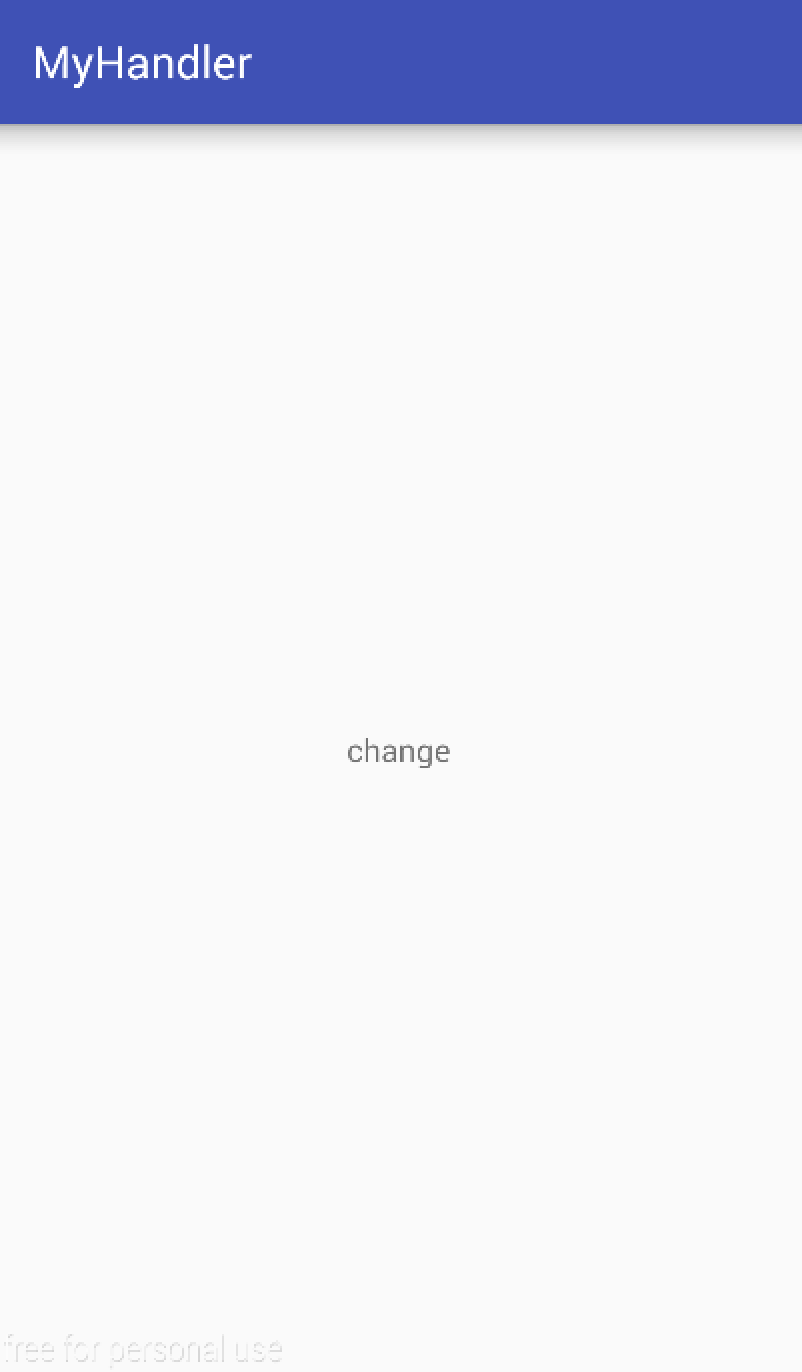
public class MainActivity extends AppCompatActivity { private TextView textView; @Override protected void onCreate (Bundle savedInstanceState) { super .onCreate(savedInstanceState); setContentView(R.layout.activity_main); textView = (TextView) findViewById(R.id.text); MyLooper.prepare(); final MyHandler myHandler = new MyHandler () { @Override public void handleMessage (MyMessage message) { textView.setText("change" ); } }; new Thread (new Runnable () { @Override public void run () { myHandler.sendMessage(new MyMessage ()); } }).start(); MyLooper.loop(); } }
效果图如下
疑点解惑 虽然我们完成了子线程更新UI,但是还是有一些问题的,假设我们将Looper的loop方法设为无限循环,而不是取到一条消息就退出循环,那会怎么样?其实都不用试,想一下就知道那主线程就被阻塞了,无法响应用户操作,然后报ANR错误。这样另一个问题就出来了,那为什么主线程原本的Looper不会阻塞呢?他的源码里也是无限循环啊?接下来根据源码来说明一下这个问题。
1
2
3
4
5
6
7
8
9
10
11
12
13
14
15
16
17
18
19
20
21
22
23
24
25
26
27
28
29
30
31
32
33
34
35
36
37
38
39
40
public static void main (String[] args) { Trace.traceBegin(Trace.TRACE_TAG_ACTIVITY_MANAGER, "ActivityThreadMain" ); SamplingProfilerIntegration.start(); CloseGuard.setEnabled(false ); Environment.initForCurrentUser(); EventLogger.setReporter(new EventLoggingReporter ()); final File configDir = Environment.getUserConfigDirectory(UserHandle.myUserId()); TrustedCertificateStore.setDefaultUserDirectory(configDir); Process.setArgV0("<pre-initialized>" ); Looper.prepareMainLooper(); ActivityThread thread = new ActivityThread (); thread.attach(false ); if (sMainThreadHandler == null ) { sMainThreadHandler = thread.getHandler(); } if (false ) { Looper.myLooper().setMessageLogging(new LogPrinter (Log.DEBUG, "ActivityThread" )); } Trace.traceEnd(Trace.TRACE_TAG_ACTIVITY_MANAGER); Looper.loop(); throw new RuntimeException ("Main thread loop unexpectedly exited" ); }
我们可以看到在代码的最后开启了loop,这里就无限循环了,假设一下,如果没有无限循环,那么main方法就结束了,那程序不就结束了么。。。。